

Activate the My Account API
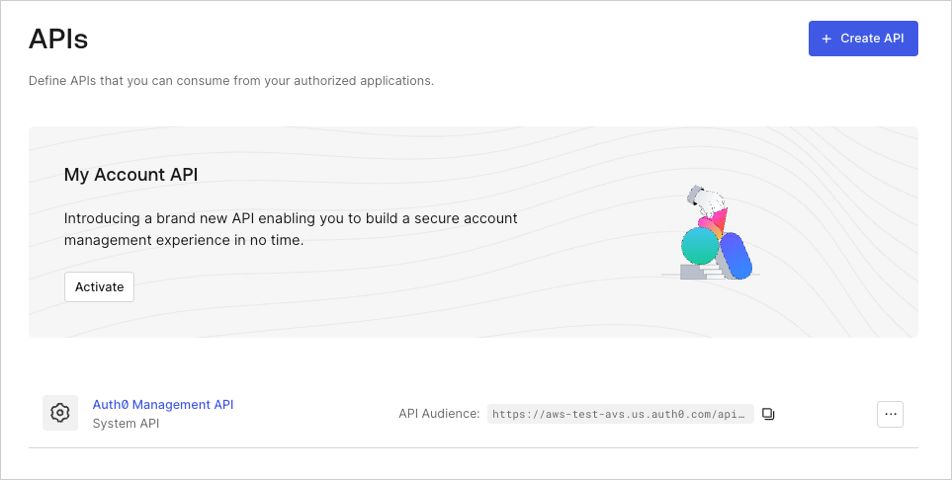
You can activate the My Account API for your tenant in the Auth0 Dashboard:- Navigate to Authentication > APIs.
- Locate the My Account API banner.
- Select Activate.
 By default, the My Account API is created with the following application API access policies:
require_client_grant for user flows
deny_all for client (machine-to-machine) flows
For an application to access the My Account API on the user’s behalf, you must explicitly create a client grant for that application, which allows you to define the maximum scopes the application can request. Alternatively, you can change the policy for user access flows to allow_all, which allows any application in your tenant to request any scope from the My Account API.
Because the My Account API exposes sensitive information and operations, Auth0 does not recommend using allow_all for user access flows. You should follow a least privilege principle with the My Account API to ensure applications only get access to what they truly need, minimizing potential security risks.
The final permissions granted to the application will be determined by the intersection of the scopes allowed by the application API access policy, the Role-Based Access Control (RBAC) permissions assigned to the end user, and any user consent given (if applicable).
Supported flows
You cannot update the application API policy for client access to the My Account API, which means you cannot access the My Account API using the Client Credentials Flow.Get an access token
You can get an access token for the My Account API in the same way you’d get an access token for one of your own APIs.Sensitive operations
If you’re going to allow the My Account API to perform sensitive operations (such as enrolling an authentication method), we strongly recommend that you use step-up authentication to enforce additional security policies through multi-factor authentication (MFA).- Call Your API Using the Authorization Code Flow
- Call Your API Using the Authorization Code Flow with PKCE
Examples
Universal Login with authorization code flow
Step 1: Request authorization codeEmbedded login with native passkeys
Step 1: Request login challengeRate limits
During Early Access, the My Account API is limited at a tenant level to 25 requests per second.Authentication
- HTTP: Bearer Auth
Bearer and DPoP tokens are supported depending on the API configuration
| Security Scheme Type: | http |
| HTTP Authorization Scheme: | bearer |